EMSHIベータ

言語

言語

EMSHI の使い方

Practical guides for the main EMSHI journeys — getting a vehicle moved, getting a personal Driver sticker, running your organization, responding to an alert, printing stickers, privacy, and what happens if nobody replies.

ガイド

  1. 出庫を塞がれた場合

    アプリもアカウントも不要。カメラで車両ステッカーをスキャン。混雑駐車場・来客区画・イベントにも。

    1. フロントガラスのステッカーQRをカメラまたはブラウザでスキャン。
    2. 画面の登録番号が目の前の車と一致するか確認。
    3. 「通知」で責任者へ非公開連絡。相手に番号は見えません。
    4. Stay on the request status page for updates (notified, on the way, moved). You can cancel the request from that page before the contact responds.
    5. 返信がなく、サイトが対応している場合は「エスカレーション」で現場連絡先へ。
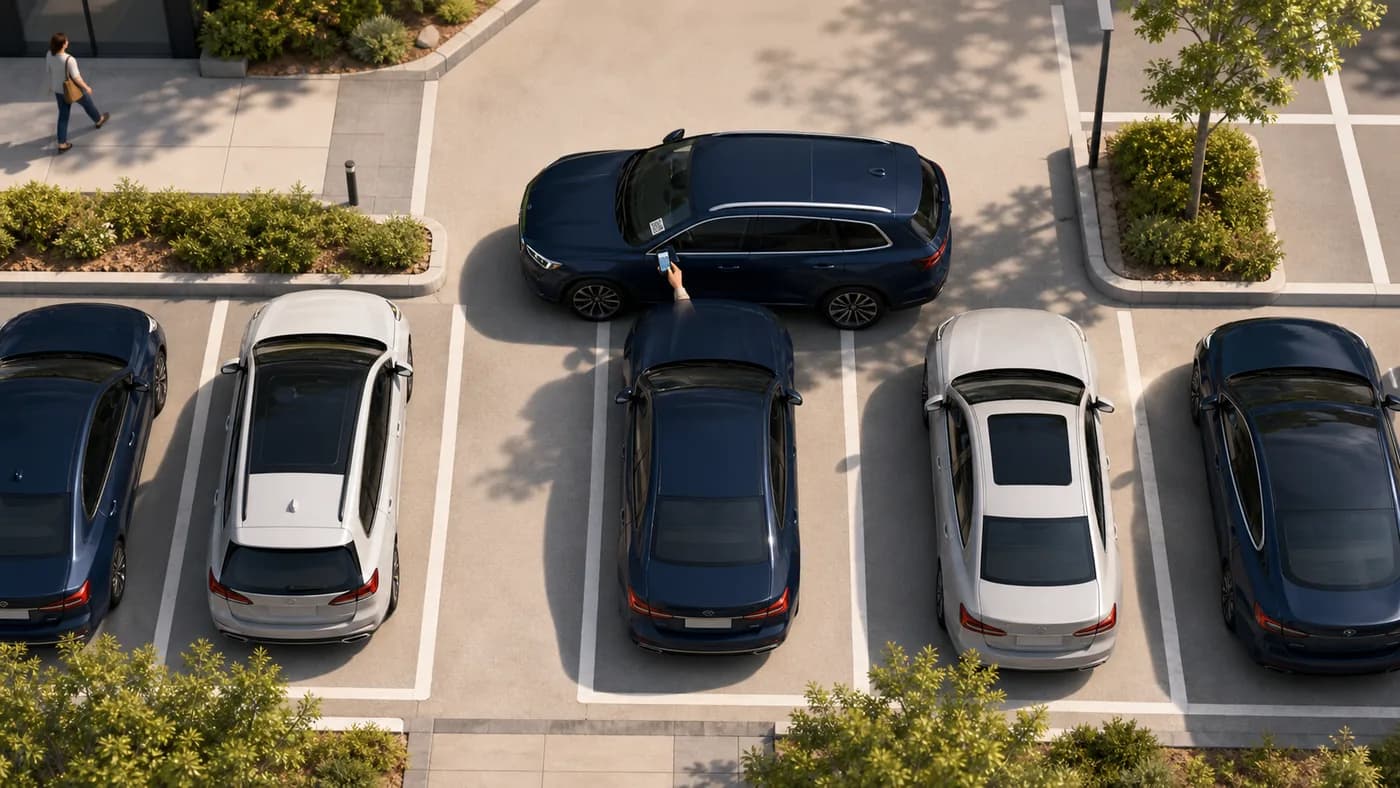
    塞がれた車の俯瞰。要求者が妨げる車両のQRをスキャン
    塞がれている出庫を妨げている車両のステッカーをスキャンします。

    ヒント: ステータスページを開いたままに。自分で電話やSMSは不要です。

  2. If you want a personal Driver sticker

    A personal printable QR for your own car. No traditional account. When you block someone in, they can ask you to move — privately.

    1. Go to For Drivers and enter your mobile, registration, make, model, and colour.
    2. Confirm your mobile with the one-time code we text you, then get your QR (personal Driver stickers are free during launch).
    3. Print the sticker and place it inside your windscreen where scanners can see it.
    4. When someone scans it, you get an SMS with a secure link — reply On my way, I have moved it, or I can't move it.
    5. If you lose the sticker, recover and reprint from For Drivers → Recover using the same mobile number.

    Tip: Driver stickers send one automatic reminder and do not escalate to a site contact.

  3. 組織を運営する場合

    ダッシュボードで人と車両を登録し、責任を割り当て、フリートのステッカーを印刷します。

    1. サインインし、必要ならプランを選び、組織プロフィールを完了。
    2. Add contacts with a working mobile number in international format. Each contact must open the SMS agree link and tap I agree before they can receive movement alerts.
    3. 車両を追加し、各車に連絡先/グループを割当。未割当は印刷不可。
    4. 車両でQRを生成し、カットガイド付きA4を印刷。
    5. ステッカーをガラス内側に貼付。大量はインポート/エクスポート。

    Tip: Watch Dashboard readiness and Needs attention so missing contacts, pending agreements, or QR gaps are fixed before drivers get stuck.

  4. 移動依頼を受け取った場合

    移動が必要なときSMSが届きます。番号は依頼者に見えません。

    1. SMSの安全なリンクを開く(アプリ不要)。
    2. Choose On my way, I have moved it, or I can't move it. If someone else in your group already claimed it, you may see Covered — no action needed.
    3. 依頼者は名前・番号なしで状態を確認。
    4. リマインダーが来たら同じリンクで状態更新。
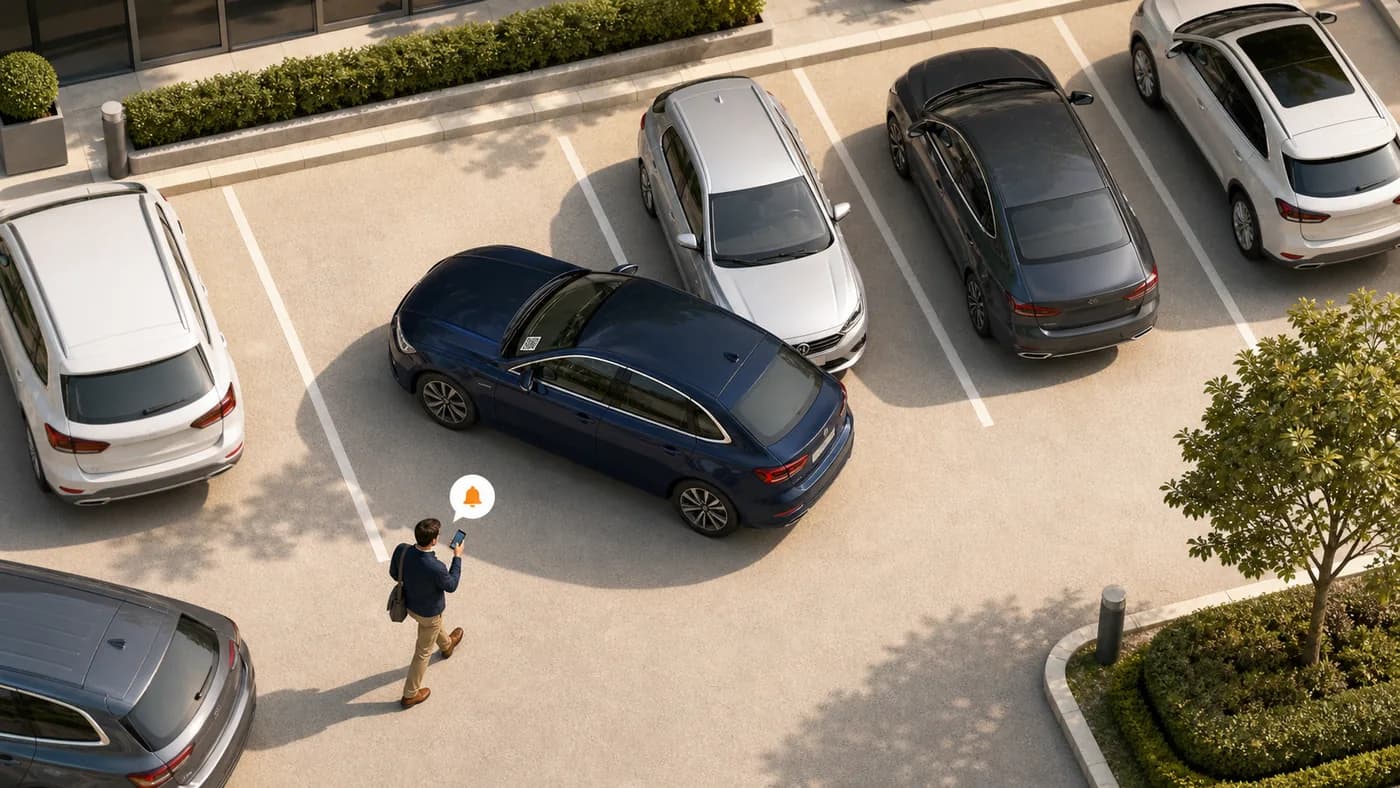
    妨げる車のそばで通知を受ける俯瞰図
    塞いでいる側通知を開き、求められたら車両を動かします。

    ヒント: できるだけ早く対応。放置するとリマインダーやエスカレーション。

  5. ステッカーの印刷と掲示

    A4・カットガイド付きでフロントのスキャンに適したQR。

    1. Print from Dashboard (organizations) or For Drivers (personal stickers) using a normal printer and A4 paper or sticker sheets.
    2. 破線に沿って切り、各シールを維持。
    3. スキャンしやすい内側に貼る。濃いスモークや物陰は避ける。
    4. QR再発行後はすぐ再印刷・交換。旧コードは無効。

    ヒント: ガラス交換や紛失用の予備をいくつか。

  6. プライバシーの仕組み

    EMSHI は依頼者と責任者が個人番号を交換しない設計です。

    1. 依頼者はアカウント不要でスキャン通知し、相手に番号を渡さない。
    2. EMSHI が責任者へ連絡。依頼者に名前・番号は非表示。
    3. 進捗はリクエストページ上で完結。
    4. エスカレーション時は限定情報が組織の連絡先へ。公開されない。

    ヒント: 保存期間や管理者の見える範囲はプライバシーポリシーで。

  7. 誰も返信しない場合

    Most requests resolve after the first SMS. When a site configures escalation, requesters get a further option. Personal Driver stickers do not escalate.

    1. 通知後もステータスを確認。連絡済かが分かります。
    2. 短時間無応答なら自動リマインダーの場合あり。
    3. 組織が有効なら「エスカレーション」で通常責任者以外の現場電話へ。
    4. 即座の移動を保証せず、通常担当が応じないときの支援依頼です。

    ヒント: 設定で有効化し、有効な携帯とスケジュールを維持。

よくある質問

ドライバーと組織管理者向けの短い回答。

アプリは必要ですか?
不要です。車両のQRをスキャンし、番号を確認してブラウザで「通知」。
自分やドライバーの番号は見られますか?
いいえ。EMSHI が責任者へ通知。通常フローでは名前と番号は非公開です。
返信がない場合は?
Stay on the status page. You may get an Escalate option if your organization has set that up. Escalation alerts a site contact; it does not force the vehicle to move. Personal Driver stickers send one reminder and do not escalate.
EMSHI は誰向け?
Anyone who wants a private nudge when they block someone in (personal Driver stickers), and shared parking sites — offices, business parks, universities, residential estates, busy car parks, and event or venue parking — that want blocked-in drivers helped without swapping personal numbers.
管理者の設定は?
Add contacts and vehicles, assign who is responsible for each vehicle, wait for each contact to agree on the SMS link, generate and print QR stickers, then place them on windscreens. Import/export helps with larger fleets.
QRステッカー紛失・破損は?
An administrator regenerates the code from Vehicles and prints a new sticker. The old code stops working so only the new sticker remains valid. Driver sticker owners can recover and reprint from EMSHIドライバQRコードを復元 using the mobile number used when you got the sticker.
担当なしで印刷できる?
No. Every printable organization vehicle needs a responsible contact or group first, so a scan can deliver a real SMS. Personal Driver stickers use your own mobile as the contact.
請求は?
Organization plans are flat USD rates by vehicle count (monthly or annual). See Pricing for current amounts and Terms for the detailed month-of-use billing rule. Personal Driver stickers are free during launch.
プランのアップグレードやダウングレードは?
アップグレードはダッシュボード → 請求 → プランをアップグレード(料金ページが開き、契約中は現在および下位ティアがロックされます)。下位プランにするには、先に請求でサブスクリプションを解約し、料金ページで下位プランを購入してください。解約で更新は止まります。当期に請求済みの金額は返金されません。
Why must organization contacts tap I agree?
Before a contact receives movement-request SMS, they must open the one-time agree link we text them and tap I agree. That confirms they are happy to get private move alerts. Changing their phone number clears agreement and sends a new link.
EMSHI の使い方 · EMSHI